SMS opt-in
Last updated 28 September 2026
This page documents how a student consents to receive text messages from their school through Shopclass, and what is shown to them at the moment they consent. It exists so the consent flow can be reviewed without a student login.
Where students opt in
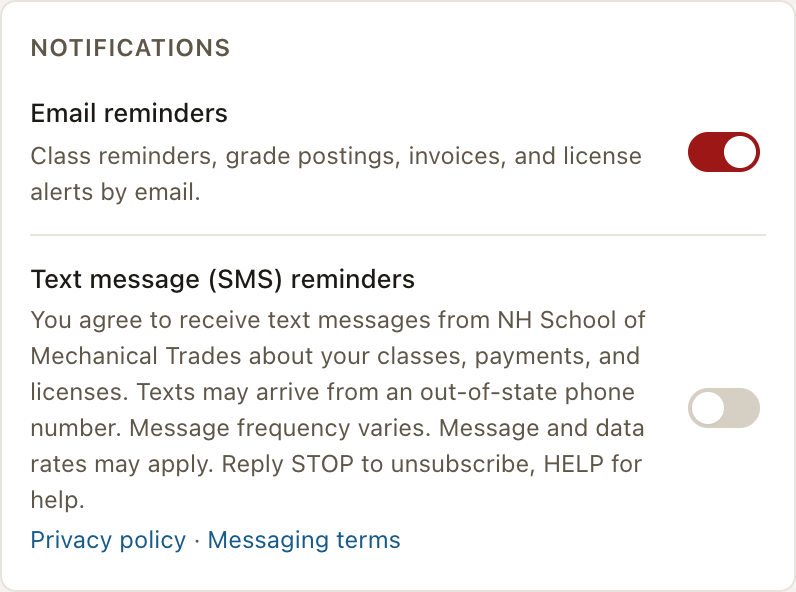
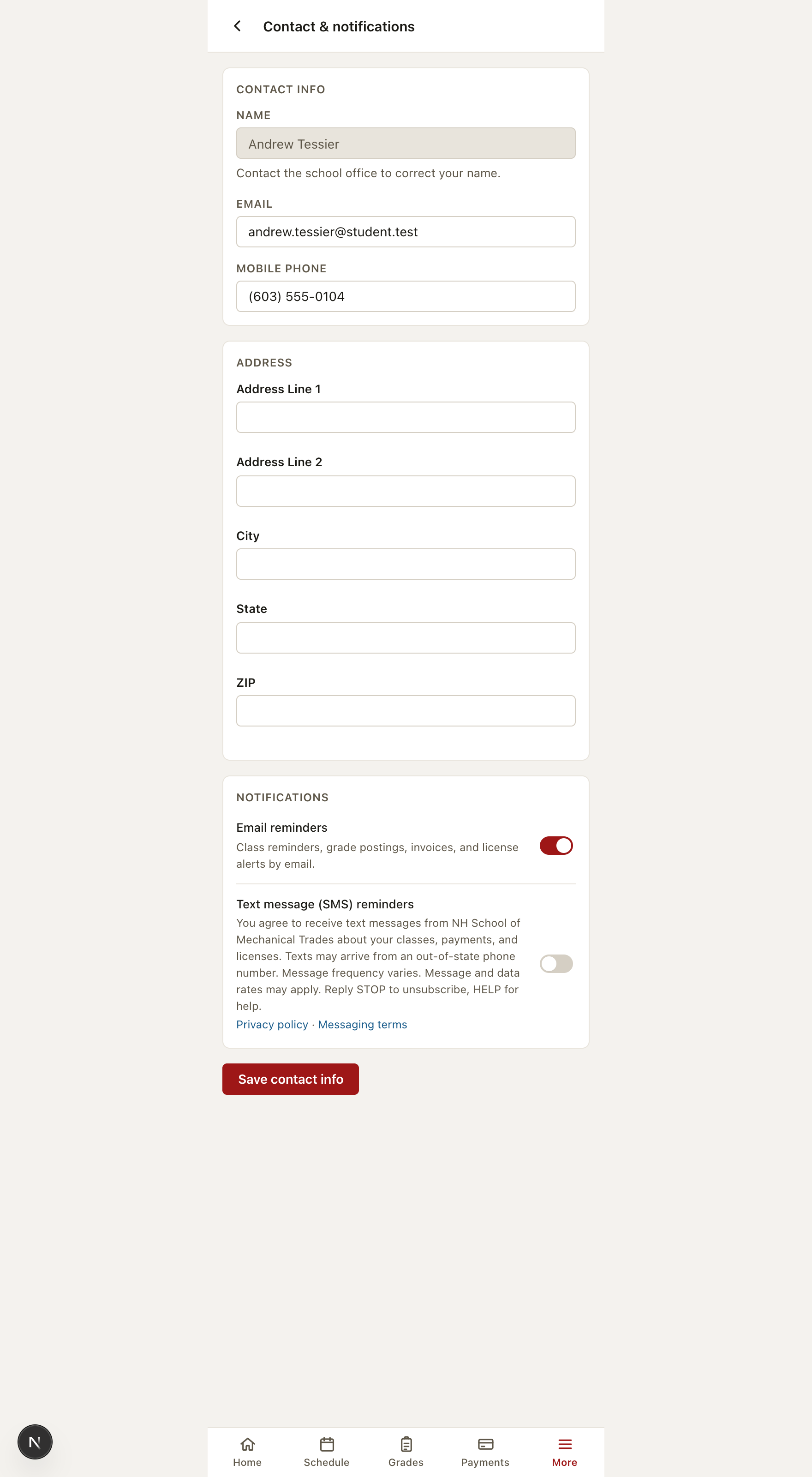
Opt-in happens on the Contact & notifications page inside the authenticated Shopclass student portal. A student signs in to their own school's portal, enters a mobile number, and turns on the Text message (SMS) reminders control, which is off by default. Consent is stored with a timestamp. Opting in is not a condition of enrollment or of any purchase, and consent is never inferred from a phone number being on file.
What the student sees
The following text appears beside the opt-in control, together with direct links to our privacy policy and messaging terms:
Text message (SMS) reminders
You agree to receive text messages from [your school] about your classes,
payments, and licenses. Texts may arrive from an out-of-state phone number.
Message frequency varies. Message and data rates may apply. Reply STOP to
unsubscribe, HELP for help.
Privacy policy ·
Messaging terms
The school's own name is shown in place of “[your school]” — Shopclass sends on behalf of the school a student is enrolled at.
How messages are signed
Every message is signed with the school's name followed by (via Shopclass) — for example “-NH School of Mechanical Trades (via Shopclass)”. Recipients therefore see both the school they enrolled with and the platform that sends on its behalf.
Shopclass is a product of Ovitas, Inc., the legal entity registered as the A2P brand for this messaging. Naming the platform in the message keeps the registered sender and the visible sender consistent.
Screenshot of the opt-in control
Captured from the student portal using a demonstration student account:
The full page in context
Stopping messages
A student may reply STOP to any message at any time, or turn the control off in their portal. Replying HELP returns support information. Full programme details are in our messaging terms.